
Microservices Architecture: From Monolith to Distributed Systems
Description: A comprehensive developer guide to microservices architecture — covering when to use it, how to design service boundaries, communication patterns, data management, failure handling, and step-by-step migration from a monolith.
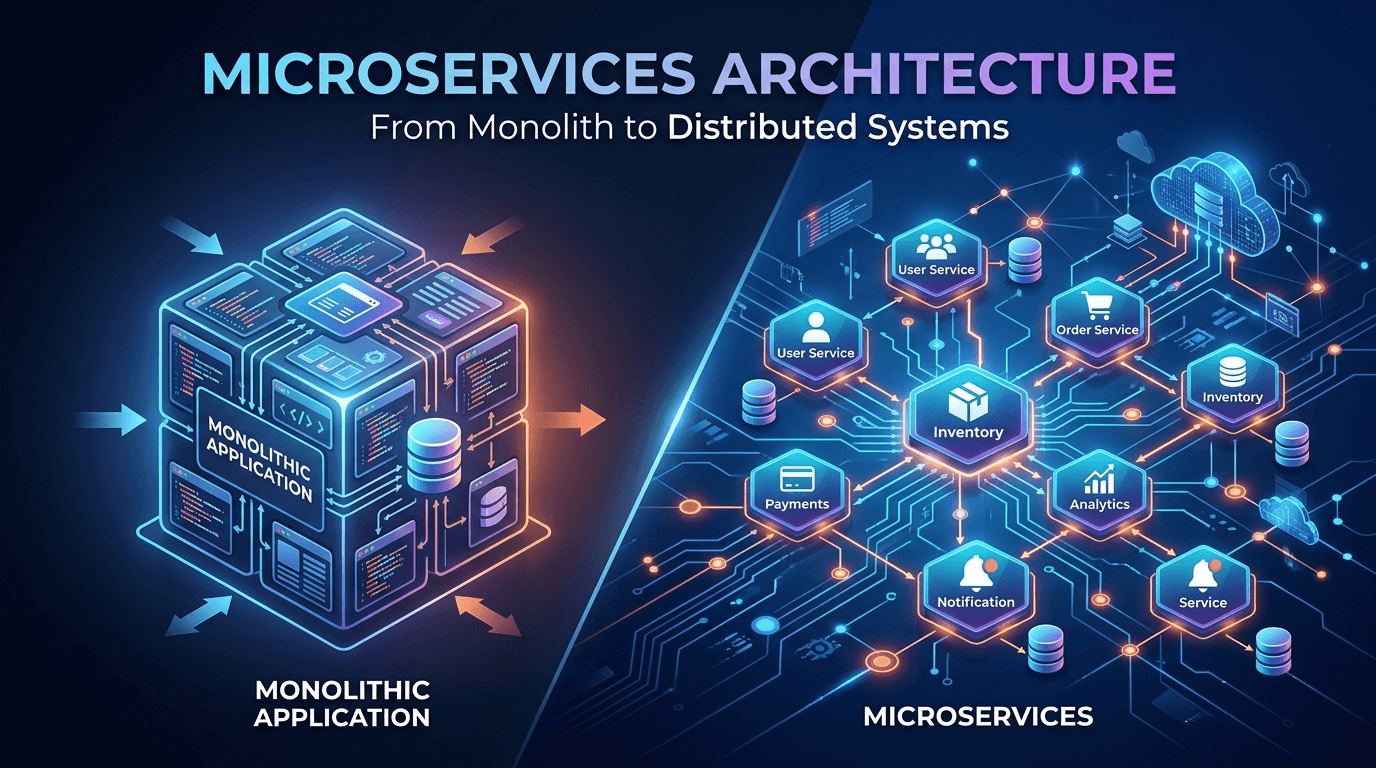
Microservices Architecture: From Monolith to Distributed Systems
Netflix serves 230 million subscribers worldwide. Amazon handles millions of transactions daily. Uber coordinates millions of rides simultaneously. None of this would be possible with a traditional monolithic architecture.
Microservices architecture has become the standard for building scalable, resilient systems. But it's not just for tech giants—understanding microservices is essential for any developer building modern applications.
This guide will teach you what microservices are, when to use them, how to design them, and most importantly, how to avoid the common pitfalls that turn microservices from a solution into a nightmare.
By the end, you'll understand how to break down monoliths, design service boundaries, handle communication between services, and build production-ready distributed systems.
Prerequisites
To get the most from this guide, you should have:
- Experience building backend applications
- Understanding of REST APIs and databases
- Basic knowledge of Docker (helpful but not required)
- No distributed systems experience needed
The Monolith vs Microservices
What Is a Monolith?
A monolithic application is a single, unified codebase where all features are interconnected.
┌─────────────────────────────────┐
│       Monolithic Application    │
│                                 │
│  ┌─────────┐  ┌──────────┐    │
│  │  User   │  │ Product  │    │
│  │ Service │  │ Service  │    │
│  └────┬────┘  └────┬─────┘    │
│       │            │           │
│  ┌────┴────────────┴─────┐    │
│  │   Single Database     │    │
│  └──────────────────────┘    │
└─────────────────────────────────┘
Example Monolith (E-commerce):
// Single application handling everything
const express = require('express');
const app = express();

// All features in one codebase
app.post('/users/register', handleUserRegistration);
app.post('/products', createProduct);
app.post('/orders', createOrder);
app.post('/payments', processPayment);
app.post('/notifications', sendNotification);

// Single database
const db = require('./database');
Monolith Advantages:
- Simple to develop initially
- Easy to test (everything in one place)
- Simple deployment (one application)
- No network latency between components
- Easier to maintain consistency
Monolith Problems:
- Hard to scale (must scale entire app)
- Long deployment times
- One bug can crash everything
- Technology lock-in (can't use different languages)
- Large teams stepping on each other's toes
What Are Microservices?
Microservices break an application into small, independent services that communicate over a network.
┌──────────┐  ┌──────────┐  ┌──────────┐  ┌──────────┐
│  User    │  │ Product  │  │  Order   │  │ Payment  │
│ Service  │  │ Service  │  │ Service  │  │ Service  │
└────┬─────┘  └────┬─────┘  └────┬─────┘  └────┬─────┘
     │             │              │              │
┌────▼─────┐  ┌───▼──────┐  ┌───▼──────┐  ┌───▼──────┐
│  User    │  │ Product  │  │  Order   │  │ Payment  │
│    DB    │  │    DB    │  │    DB    │  │    DB    │
└──────────┘  └──────────┘  └──────────┘  └──────────┘
Example Microservices:
// User Service (Port 3001)
const express = require('express');
const app = express();

app.post('/users', createUser);
app.get('/users/:id', getUser);

app.listen(3001);

// Product Service (Port 3002)
const express = require('express');
const app = express();

app.post('/products', createProduct);
app.get('/products/:id', getProduct);

app.listen(3002);

// Order Service (Port 3003)
const express = require('express');
const app = express();

// Calls other services via HTTP
app.post('/orders', async (req, res) => {
  // Verify user exists
  const user = await fetch(`http://user-service:3001/users/${userId}`);

  // Verify product exists
  const product = await fetch(`http://product-service:3002/products/${productId}`);

  // Create order
  const order = await createOrder(req.body);

  res.json(order);
});

app.listen(3003);
Microservices Advantages:
- Independent scaling (scale only what you need)
- Technology flexibility (different languages per service)
- Faster deployments (deploy one service at a time)
- Team autonomy (teams own entire services)
- Fault isolation (one service failure doesn't crash all)
Microservices Challenges:
- Complex infrastructure
- Network latency and failures
- Data consistency across services
- Testing is harder
- Operational overhead
When to Use Microservices
✅ Use Microservices When:
1. Your team is large (20+ developers)
Multiple teams can work independently without blocking each other
2. You need independent scaling
Example: Payment processing needs 10x more resources than user profile
3. You need technology flexibility
Example: ML models in Python, web APIs in Node.js, data processing in Go
4. You have clear domain boundaries
Example: E-commerce has distinct domains: users, products, orders, payments
5. You need frequent deployments
Deploy new features without redeploying entire application
❌ Don't Use Microservices When:
1. You're a startup finding product-market fit
Speed > Scalability. Monolith lets you iterate faster.
2. Your team is small (< 10 developers)
Operational overhead will slow you down
3. You don't have DevOps expertise
Microservices require strong ops skills
4. Your domain is not well understood
Hard to draw service boundaries if domain is unclear
5. You don't have real scale problems
Don't solve problems you don't have yet
Designing Service Boundaries
The hardest part of microservices is deciding what goes in each service.
Domain-Driven Design (DDD)
Use business domains to define services:
E-commerce Domain Model:

┌─────────────────────────────────────────┐
│           E-commerce Platform           │
└─────────────────────────────────────────┘
           │
           ├── User Management
           │   ├── Authentication
           │   ├── User Profiles
           │   └── Preferences
           │
           ├── Product Catalog
           │   ├── Product Information
           │   ├── Inventory
           │   └── Search
           │
           ├── Shopping Cart
           │   ├── Cart Management
           │   └── Saved Items
           │
           ├── Order Management
           │   ├── Order Creation
           │   ├── Order Tracking
           │   └── Order History
           │
           ├── Payment Processing
           │   ├── Payment Gateway
           │   ├── Transaction History
           │   └── Refunds
           │
           └── Notification Service
               ├── Email
               ├── SMS
               └── Push Notifications
Single Responsibility Principle
Each service should have one clear responsibility:
// ✅ Good: Focused services
User Service:
  - Manage user accounts
  - Authentication
  - User preferences

Order Service:
  - Create orders
  - Track order status
  - Order history

// ❌ Bad: Too broad
User-And-Order Service:
  - Manage users
  - Create orders
  - Process payments
  - Send emails
  (Too many responsibilities!)
Data Ownership
Each service owns its data—no shared databases:
❌ Bad: Shared Database
┌──────────┐  ┌──────────┐
│  User    │  │  Order   │
│ Service  │  │ Service  │
└────┬─────┘  └────┬─────┘
     │             │
     └──────┬──────┘
            ▼
    ┌──────────────┐
    │   Shared DB  │
    └──────────────┘

✅ Good: Separate Databases
┌──────────┐      ┌──────────┐
│  User    │      │  Order   │
│ Service  │      │ Service  │
└────┬─────┘      └────┬─────┘
     │                 │
┌────▼─────┐      ┌────▼─────┐
│  User DB │      │ Order DB │
└──────────┘      └──────────┘
Example: E-commerce Service Breakdown
// User Service
{
  "name": "user-service",
  "responsibilities": [
    "User registration and authentication",
    "User profile management",
    "User preferences"
  ],
  "database": "users_db",
  "endpoints": [
    "POST /users/register",
    "POST /users/login",
    "GET /users/:id",
    "PUT /users/:id"
  ]
}

// Product Service
{
  "name": "product-service",
  "responsibilities": [
    "Product catalog management",
    "Inventory tracking",
    "Product search"
  ],
  "database": "products_db",
  "endpoints": [
    "POST /products",
    "GET /products/:id",
    "GET /products/search",
    "PUT /products/:id/inventory"
  ]
}

// Order Service
{
  "name": "order-service",
  "responsibilities": [
    "Order creation and management",
    "Order status tracking",
    "Order history"
  ],
  "database": "orders_db",
  "endpoints": [
    "POST /orders",
    "GET /orders/:id",
    "GET /users/:userId/orders",
    "PATCH /orders/:id/status"
  ]
}

// Payment Service
{
  "name": "payment-service",
  "responsibilities": [
    "Payment processing",
    "Transaction management",
    "Refunds"
  ],
  "database": "payments_db",
  "endpoints": [
    "POST /payments",
    "GET /payments/:id",
    "POST /payments/:id/refund"
  ]
}
Service Communication Patterns
Services need to communicate. Here are the main patterns:
1. Synchronous Communication (REST/HTTP)
Direct HTTP calls between services:
// Order Service calls User Service and Product Service
app.post('/orders', async (req, res) => {
  const { userId, productId, quantity } = req.body;

  try {
    // Synchronous call to User Service
    const userResponse = await fetch(
      `http://user-service:3001/users/${userId}`
    );

    if (!userResponse.ok) {
      return res.status(400).json({ error: 'Invalid user' });
    }

    // Synchronous call to Product Service
    const productResponse = await fetch(
      `http://product-service:3002/products/${productId}`
    );

    if (!productResponse.ok) {
      return res.status(400).json({ error: 'Invalid product' });
    }

    const product = await productResponse.json();

    // Create order
    const order = await Order.create({
      userId,
      productId,
      quantity,
      total: product.price * quantity
    });

    res.status(201).json(order);
  } catch (error) {
    res.status(500).json({ error: 'Order creation failed' });
  }
});
Pros:
- Simple to implement
- Easy to debug
- Immediate response
Cons:
- Tight coupling
- If User Service is down, can't create orders
- Network latency adds up
2. Asynchronous Communication (Message Queue)
Services communicate via message brokers:
// Using RabbitMQ or Kafka

// Order Service publishes event
const amqp = require('amqplib');

app.post('/orders', async (req, res) => {
  const order = await Order.create(req.body);

  // Publish event to message queue
  const connection = await amqp.connect('amqp://rabbitmq');
  const channel = await connection.createChannel();

  await channel.assertQueue('order.created');
  channel.sendToQueue('order.created', Buffer.from(JSON.stringify({
    orderId: order.id,
    userId: order.userId,
    total: order.total,
    timestamp: new Date()
  })));

  res.status(201).json(order);
});

// Payment Service listens for order events
const connection = await amqp.connect('amqp://rabbitmq');
const channel = await connection.createChannel();

await channel.assertQueue('order.created');
channel.consume('order.created', async (msg) => {
  const orderData = JSON.parse(msg.content.toString());

  // Process payment
  await processPayment(orderData);

  // Acknowledge message
  channel.ack(msg);
});

// Notification Service also listens
channel.consume('order.created', async (msg) => {
  const orderData = JSON.parse(msg.content.toString());

  // Send confirmation email
  await sendOrderConfirmation(orderData);

  channel.ack(msg);
});
Pros:
- Loose coupling
- Services don't need to be online simultaneously
- Natural load leveling
Cons:
- More complex
- Eventual consistency
- Harder to debug
3. API Gateway Pattern
Single entry point for all clients:
// API Gateway (Port 8000)
const express = require('express');
const { createProxyMiddleware } = require('http-proxy-middleware');

const app = express();

// Route requests to appropriate services
app.use('/api/users', createProxyMiddleware({
  target: 'http://user-service:3001',
  changeOrigin: true
}));

app.use('/api/products', createProxyMiddleware({
  target: 'http://product-service:3002',
  changeOrigin: true
}));

app.use('/api/orders', createProxyMiddleware({
  target: 'http://order-service:3003',
  changeOrigin: true
}));

// Aggregate data from multiple services
app.get('/api/dashboard/:userId', async (req, res) => {
  const { userId } = req.params;

  const [user, orders, recommendations] = await Promise.all([
    fetch(`http://user-service:3001/users/${userId}`).then(r => r.json()),
    fetch(`http://order-service:3003/users/${userId}/orders`).then(r => r.json()),
    fetch(`http://recommendation-service:3004/users/${userId}`).then(r => r.json())
  ]);

  res.json({
    user,
    recentOrders: orders.slice(0, 5),
    recommendations
  });
});

app.listen(8000);
Benefits:
- Single entry point for clients
- Authentication/authorization in one place
- Request aggregation
- Rate limiting centralized
4. Service Mesh (Advanced)
Infrastructure layer for service-to-service communication:
# Istio service mesh configuration
apiVersion: networking.istio.io/v1
kind: VirtualService
metadata:
  name: order-service
spec:
  hosts:
    - order-service
  http:
    - match:
        - headers:
            user-type:
              exact: premium
      route:
        - destination:
            host: order-service
            subset: v2  # Premium users get new version
          weight: 100
    - route:
        - destination:
            host: order-service
            subset: v1  # Regular users get stable version
          weight: 100
Data Management in Microservices
Database per Service Pattern
Each service has its own database:
// User Service
const mongoose = require('mongoose');
mongoose.connect('mongodb://user-db:27017/users');

const UserSchema = new mongoose.Schema({
  email: String,
  name: String,
  hashedPassword: String
});

// Product Service
const { Pool } = require('pg');
const pool = new Pool({
  host: 'product-db',
  database: 'products'
});

// Different database technology is fine!
Handling Distributed Transactions
Problem: Need to update multiple databases atomically.
Example: Create order (update inventory + create order record + process payment)
Solution 1: Saga Pattern
// Order creation saga
class OrderSaga {
  async execute(orderData) {
    const { userId, productId, quantity } = orderData;

    try {
      // Step 1: Reserve inventory
      const inventoryReserved = await this.reserveInventory(
        productId,
        quantity
      );

      if (!inventoryReserved) {
        throw new Error('Insufficient inventory');
      }

      // Step 2: Create order
      const order = await this.createOrder(orderData);

      // Step 3: Process payment
      const paymentProcessed = await this.processPayment(
        order.id,
        order.total
      );

      if (!paymentProcessed) {
        // Compensating transaction: release inventory
        await this.releaseInventory(productId, quantity);
        await this.cancelOrder(order.id);
        throw new Error('Payment failed');
      }

      return order;

    } catch (error) {
      // Rollback all changes
      await this.compensate();
      throw error;
    }
  }

  async reserveInventory(productId, quantity) {
    const response = await fetch(
      `http://inventory-service/products/${productId}/reserve`,
      {
        method: 'POST',
        body: JSON.stringify({ quantity })
      }
    );
    return response.ok;
  }

  async releaseInventory(productId, quantity) {
    await fetch(
      `http://inventory-service/products/${productId}/release`,
      {
        method: 'POST',
        body: JSON.stringify({ quantity })
      }
    );
  }

  async createOrder(data) {
    const response = await fetch('http://order-service/orders', {
      method: 'POST',
      body: JSON.stringify(data)
    });
    return response.json();
  }

  async processPayment(orderId, amount) {
    const response = await fetch('http://payment-service/payments', {
      method: 'POST',
      body: JSON.stringify({ orderId, amount })
    });
    return response.ok;
  }
}

// Usage
app.post('/checkout', async (req, res) => {
  const saga = new OrderSaga();
  try {
    const order = await saga.execute(req.body);
    res.json(order);
  } catch (error) {
    res.status(400).json({ error: error.message });
  }
});
Solution 2: Event Sourcing
// Store events instead of current state
const events = [];

// Event types
const ORDER_CREATED = 'ORDER_CREATED';
const PAYMENT_PROCESSED = 'PAYMENT_PROCESSED';
const ORDER_SHIPPED = 'ORDER_SHIPPED';

// Create order event
events.push({
  type: ORDER_CREATED,
  data: {
    orderId: '123',
    userId: '456',
    total: 99.99
  },
  timestamp: new Date()
});

// Process payment event
events.push({
  type: PAYMENT_PROCESSED,
  data: {
    orderId: '123',
    paymentId: 'pay_789',
    amount: 99.99
  },
  timestamp: new Date()
});

// Rebuild state from events
function getOrderState(orderId) {
  const orderEvents = events.filter(e =>
    e.data.orderId === orderId
  );

  let state = {};
  for (const event of orderEvents) {
    switch (event.type) {
      case ORDER_CREATED:
        state = { ...event.data, status: 'created' };
        break;
      case PAYMENT_PROCESSED:
        state.status = 'paid';
        state.paymentId = event.data.paymentId;
        break;
      case ORDER_SHIPPED:
        state.status = 'shipped';
        break;
    }
  }

  return state;
}
Data Replication for Performance
Replicate data you need often:
// Order Service needs user names for display
// Instead of calling User Service every time, cache user data

// When user updates profile, User Service publishes event
// Order Service listens and updates its cache

// User Service
app.put('/users/:id', async (req, res) => {
  const user = await User.findByIdAndUpdate(req.params.id, req.body);

  // Publish event
  publishEvent('user.updated', {
    userId: user.id,
    name: user.name,
    email: user.email
  });

  res.json(user);
});

// Order Service maintains denormalized user data
const userCache = {};

// Listen for user updates
subscribeToEvent('user.updated', (data) => {
  userCache[data.userId] = {
    name: data.name,
    email: data.email,
    updatedAt: new Date()
  };
});

// Use cached data
app.get('/orders/:id', async (req, res) => {
  const order = await Order.findById(req.params.id);

  // Use cached user data instead of calling User Service
  const userName = userCache[order.userId]?.name || 'Unknown';

  res.json({
    ...order.toObject(),
    userName
  });
});
Service Discovery
Services need to find each other:
1. Client-Side Discovery
// Service Registry (Consul, Eureka)
class ServiceRegistry {
  constructor() {
    this.services = {
      'user-service': ['http://10.0.1.1:3001', 'http://10.0.1.2:3001'],
      'product-service': ['http://10.0.2.1:3002'],
      'order-service': ['http://10.0.3.1:3003', 'http://10.0.3.2:3003']
    };
  }

  getServiceUrl(serviceName) {
    const instances = this.services[serviceName];
    if (!instances || instances.length === 0) {
      throw new Error(`Service ${serviceName} not found`);
    }

    // Round-robin load balancing
    const index = Math.floor(Math.random() * instances.length);
    return instances[index];
  }
}

const registry = new ServiceRegistry();

// Client discovers and calls service
app.post('/orders', async (req, res) => {
  const userServiceUrl = registry.getServiceUrl('user-service');

  const response = await fetch(`${userServiceUrl}/users/${req.body.userId}`);
  // ... rest of logic
});
2. Server-Side Discovery (Load Balancer)
// NGINX configuration
upstream user-service {
  server user-service-1:3001;
  server user-service-2:3001;
  server user-service-3:3001;
}

upstream product-service {
  server product-service-1:3002;
  server product-service-2:3002;
}

server {
  listen 80;

  location /users {
    proxy_pass http://user-service;
  }

  location /products {
    proxy_pass http://product-service;
  }
}
// Client just calls load balancer
app.post('/orders', async (req, res) => {
  // Load balancer handles routing to actual instances
  const response = await fetch('http://load-balancer/users/123');
  // ...
});
3. Kubernetes Service Discovery
# user-service-deployment.yaml
apiVersion: v1
kind: Service
metadata:
  name: user-service
spec:
  selector:
    app: user-service
  ports:
    - port: 80
      targetPort: 3001
  type: ClusterIP
---
apiVersion: apps/v1
kind: Deployment
metadata:
  name: user-service
spec:
  replicas: 3
  selector:
    matchLabels:
      app: user-service
  template:
    metadata:
      labels:
        app: user-service
    spec:
      containers:
        - name: user-service
          image: user-service:latest
          ports:
            - containerPort: 3001
// Other services just call by name
// Kubernetes DNS resolves it automatically
const response = await fetch('http://user-service/users/123');
Handling Failures
Microservices fail. Plan for it.
Circuit Breaker Pattern
class CircuitBreaker {
  constructor(service, threshold = 5, timeout = 60000) {
    this.service = service;
    this.failureThreshold = threshold;
    this.timeout = timeout;
    this.failureCount = 0;
    this.lastFailureTime = null;
    this.state = 'CLOSED'; // CLOSED, OPEN, HALF_OPEN
  }

  async call(...args) {
    if (this.state === 'OPEN') {
      if (Date.now() - this.lastFailureTime > this.timeout) {
        this.state = 'HALF_OPEN';
      } else {
        throw new Error('Circuit breaker is OPEN');
      }
    }

    try {
      const result = await this.service(...args);
      this.onSuccess();
      return result;
    } catch (error) {
      this.onFailure();
      throw error;
    }
  }

  onSuccess() {
    this.failureCount = 0;
    this.state = 'CLOSED';
  }

  onFailure() {
    this.failureCount++;
    this.lastFailureTime = Date.now();

    if (this.failureCount >= this.failureThreshold) {
      this.state = 'OPEN';
    }
  }
}

// Usage
async function callUserService(userId) {
  const response = await fetch(`http://user-service/users/${userId}`);
  return response.json();
}

const userServiceBreaker = new CircuitBreaker(callUserService);

app.get('/orders/:id', async (req, res) => {
  try {
    const order = await Order.findById(req.params.id);

    // Use circuit breaker
    const user = await userServiceBreaker.call(order.userId);

    res.json({ order, user });
  } catch (error) {
    if (error.message === 'Circuit breaker is OPEN') {
      // Fallback: return order without user details
      const order = await Order.findById(req.params.id);
      res.json({ order, user: null });
    } else {
      res.status(500).json({ error: 'Internal server error' });
    }
  }
});
Retry with Exponential Backoff
async function retryWithBackoff(fn, maxRetries = 3, baseDelay = 1000) {
  for (let i = 0; i < maxRetries; i++) {
    try {
      return await fn();
    } catch (error) {
      if (i === maxRetries - 1) throw error;

      const delay = baseDelay * Math.pow(2, i); // Exponential backoff
      console.log(`Retry ${i + 1} after ${delay}ms`);
      await new Promise(resolve => setTimeout(resolve, delay));
    }
  }
}

// Usage
const user = await retryWithBackoff(() =>
  fetch('http://user-service/users/123').then(r => r.json())
);
Timeout Pattern
async function fetchWithTimeout(url, timeout = 5000) {
  const controller = new AbortController();
  const timeoutId = setTimeout(() => controller.abort(), timeout);

  try {
    const response = await fetch(url, { signal: controller.signal });
    clearTimeout(timeoutId);
    return response;
  } catch (error) {
    clearTimeout(timeoutId);
    if (error.name === 'AbortError') {
      throw new Error('Request timeout');
    }
    throw error;
  }
}

// Usage
try {
  const response = await fetchWithTimeout('http://user-service/users/123', 3000);
  const user = await response.json();
} catch (error) {
  console.error('Service call failed:', error.message);
  // Use cached data or return error
}
Bulkhead Pattern
Isolate resources to prevent cascading failures:
class Bulkhead {
  constructor(maxConcurrent) {
    this.maxConcurrent = maxConcurrent;
    this.running = 0;
    this.queue = [];
  }

  async execute(fn) {
    if (this.running >= this.maxConcurrent) {
      // Wait in queue
      await new Promise(resolve => this.queue.push(resolve));
    }

    this.running++;

    try {
      return await fn();
    } finally {
      this.running--;

      // Process next in queue
      if (this.queue.length > 0) {
        const next = this.queue.shift();
        next();
      }
    }
  }
}

// Separate bulkheads for different services
const userServiceBulkhead = new Bulkhead(10);
const productServiceBulkhead = new Bulkhead(20);

// If user service is slow, doesn't affect product service calls
app.get('/data', async (req, res) => {
  const [user, products] = await Promise.all([
    userServiceBulkhead.execute(() => fetchUser()),
    productServiceBulkhead.execute(() => fetchProducts())
  ]);

  res.json({ user, products });
});
Monitoring and Observability
Distributed Tracing
Track requests across multiple services:
// Using OpenTelemetry
const { trace } = require('@opentelemetry/api');
const tracer = trace.getTracer('order-service');

app.post('/orders', async (req, res) => {
  const span = tracer.startSpan('create-order');

  try {
    // Add attributes to span
    span.setAttribute('user.id', req.body.userId);
    span.setAttribute('order.total', req.body.total);

    // Child span for user service call
    const userSpan = tracer.startSpan('fetch-user', {
      parent: span
    });
    const user = await fetch('http://user-service/users/123');
    userSpan.end();

    // Child span for product service call
    const productSpan = tracer.startSpan('fetch-product');
    const product = await fetch('http://product-service/products/456');
    productSpan.end();

    const order = await Order.create(req.body);

    span.setStatus({ code: SpanStatusCode.OK });
    res.json(order);
  } catch (error) {
    span.setStatus({
      code: SpanStatusCode.ERROR,
      message: error.message
    });
    res.status(500).json({ error: error.message });
  } finally {
    span.end();
  }
});
Centralized Logging
const winston = require('winston');
const { ElasticsearchTransport } = require('winston-elasticsearch');

const logger = winston.createLogger({
  format: winston.format.json(),
  defaultMeta: {
    service: 'order-service',
    environment: process.env.NODE_ENV
  },
  transports: [
    new ElasticsearchTransport({
      level: 'info',
      clientOpts: { node: 'http://elasticsearch:9200' }
    })
  ]
});

app.post('/orders', async (req, res) => {
  const correlationId = req.headers['x-correlation-id'] || generateId();

  logger.info('Order creation started', {
    correlationId,
    userId: req.body.userId,
    total: req.body.total
  });

  try {
    const order = await Order.create(req.body);

    logger.info('Order created successfully', {
      correlationId,
      orderId: order.id
    });

    res.json(order);
  } catch (error) {
    logger.error('Order creation failed', {
      correlationId,
      error: error.message,
      stack: error.stack
    });

    res.status(500).json({ error: error.message });
  }
});
Health Checks
// Health check endpoint
app.get('/health', async (req, res) => {
  const health = {
    status: 'healthy',
    timestamp: new Date(),
    uptime: process.uptime(),
    checks: {}
  };

  // Check database
  try {
    await db.ping();
    health.checks.database = { status: 'up' };
  } catch (error) {
    health.status = 'unhealthy';
    health.checks.database = { status: 'down', error: error.message };
  }

  // Check message queue
  try {
    await messageQueue.ping();
    health.checks.messageQueue = { status: 'up' };
  } catch (error) {
    health.status = 'degraded';
    health.checks.messageQueue = { status: 'down', error: error.message };
  }

  const statusCode = health.status === 'healthy' ? 200 : 503;
  res.status(statusCode).json(health);
});

// Readiness check (ready to accept traffic)
app.get('/ready', async (req, res) => {
  // Check if service dependencies are available
  const ready = await checkDependencies();

  res.status(ready ? 200 : 503).json({ ready });
});
Deployment Strategies
Docker Compose (Development)
# docker-compose.yml
version: '3.8'

services:
  user-service:
    build: ./user-service
    ports:
      - "3001:3001"
    environment:
      DATABASE_URL: mongodb://mongo:27017/users
    depends_on:
      - mongo

  product-service:
    build: ./product-service
    ports:
      - "3002:3002"
    environment:
      DATABASE_URL: postgresql://postgres:5432/products
    depends_on:
      - postgres

  order-service:
    build: ./order-service
    ports:
      - "3003:3003"
    environment:
      DATABASE_URL: mongodb://mongo:27017/orders
      USER_SERVICE_URL: http://user-service:3001
      PRODUCT_SERVICE_URL: http://product-service:3002
    depends_on:
      - mongo
      - user-service
      - product-service

  mongo:
    image: mongo:6
    volumes:
      - mongo-data:/data/db

  postgres:
    image: postgres:15
    environment:
      POSTGRES_PASSWORD: password
    volumes:
      - postgres-data:/var/lib/postgresql/data

volumes:
  mongo-data:
  postgres-data:
Kubernetes (Production)
# user-service.yaml
apiVersion: apps/v1
kind: Deployment
metadata:
  name: user-service
spec:
  replicas: 3
  selector:
    matchLabels:
      app: user-service
  template:
    metadata:
      labels:
        app: user-service
    spec:
      containers:
        - name: user-service
          image: myregistry/user-service:1.0.0
          ports:
            - containerPort: 3001
          env:
            - name: DATABASE_URL
              valueFrom:
                secretKeyRef:
                  name: user-service-secrets
                  key: database-url
          resources:
            requests:
              memory: "128Mi"
              cpu: "100m"
            limits:
              memory: "256Mi"
              cpu: "200m"
          livenessProbe:
            httpGet:
              path: /health
              port: 3001
            initialDelaySeconds: 30
            periodSeconds: 10
          readinessProbe:
            httpGet:
              path: /ready
              port: 3001
            initialDelaySeconds: 5
            periodSeconds: 5
---
apiVersion: v1
kind: Service
metadata:
  name: user-service
spec:
  selector:
    app: user-service
  ports:
    - protocol: TCP
      port: 80
      targetPort: 3001
  type: ClusterIP
---
apiVersion: autoscaling/v2
kind: HorizontalPodAutoscaler
metadata:
  name: user-service-hpa
spec:
  scaleTargetRef:
    apiVersion: apps/v1
    kind: Deployment
    name: user-service
  minReplicas: 3
  maxReplicas: 10
  metrics:
    - type: Resource
      resource:
        name: cpu
        target:
          type: Utilization
          averageUtilization: 70
Migration Strategy: Monolith to Microservices
Don't rewrite everything at once. Use the Strangler Fig Pattern:
Step 1: Identify a Bounded Context
┌────────────────────────────┐
│       Monolith             │
│                            │
│  ┌──────────────────────┐ │
│  │  User Management     │ │ ← Extract this first
│  └──────────────────────┘ │
│                            │
│  Product Catalog           │
│  Order Management          │
│  Payment Processing        │
└────────────────────────────┘

Step 2: Extract to Microservice
┌────────────────────────────┐
│       Monolith             │      ┌─────────────┐
│                            │      │    User     │
│  (User Management moved) ──┼─────▶│  Service    │
│                            │      └─────────────┘
│  Product Catalog           │
│  Order Management          │
│  Payment Processing        │
└────────────────────────────┘

Step 3: Repeat
┌────────────────────────────┐
│       Monolith             │      ┌─────────────┐
│                            │      │    User     │
│  (User Management moved)   │      │  Service    │
│  (Product moved)         ──┼──┐   └─────────────┘
│                            │  │
│  Order Management          │  │   ┌─────────────┐
│  Payment Processing        │  └──▶│  Product    │
└────────────────────────────┘      │  Service    │
                                     └─────────────┘
Implementation
// Step 1: Add API Gateway
// Route some requests to new service, others to monolith

const express = require('express');
const { createProxyMiddleware } = require('http-proxy-middleware');

const app = express();

// Route user requests to new microservice
app.use('/api/users', createProxyMiddleware({
  target: 'http://user-service:3001',
  changeOrigin: true
}));

// Route everything else to monolith
app.use('/api', createProxyMiddleware({
  target: 'http://monolith:8080',
  changeOrigin: true
}));

// Step 2: Gradually move functionality
// Monolith can call microservice for user data

// In monolith code
async function getUser(userId) {
  // Check if new service is available
  if (process.env.USE_USER_SERVICE === 'true') {
    return await fetch(`http://user-service/users/${userId}`)
      .then(r => r.json());
  } else {
    // Fall back to local database
    return await User.findById(userId);
  }
}
Best Practices
1. Start Small
Don't build 50 microservices on day one.

Start with:
- Monolith
- Extract 1-2 services when needed
- Learn from mistakes
- Gradually decompose
2. Automate Everything
# CI/CD Pipeline
stages:
  - test
  - build
  - deploy

test:
  script:
    - npm test
    - npm run lint

build:
  script:
    - docker build -t user-service:$CI_COMMIT_SHA .
    - docker push user-service:$CI_COMMIT_SHA

deploy:
  script:
    - kubectl set image deployment/user-service \
        user-service=user-service:$CI_COMMIT_SHA
3. Design for Failure
// Always assume calls can fail

async function getOrderWithUser(orderId) {
  const order = await Order.findById(orderId);

  let user;
  try {
    user = await fetchUser(order.userId);
  } catch (error) {
    // Service unavailable - use cached data or defaults
    user = await getCachedUser(order.userId) || {
      name: 'Unknown User',
      email: 'N/A'
    };
  }

  return { order, user };
}
4. Monitor Everything
const prometheus = require('prom-client');

// Metrics
const httpRequestDuration = new prometheus.Histogram({
  name: 'http_request_duration_seconds',
  help: 'Duration of HTTP requests in seconds',
  labelNames: ['method', 'route', 'status_code']
});

const ordersCreated = new prometheus.Counter({
  name: 'orders_created_total',
  help: 'Total number of orders created'
});

// Track metrics
app.use((req, res, next) => {
  const start = Date.now();

  res.on('finish', () => {
    const duration = (Date.now() - start) / 1000;
    httpRequestDuration.labels(
      req.method,
      req.route?.path || req.path,
      res.statusCode
    ).observe(duration);
  });

  next();
});

app.post('/orders', async (req, res) => {
  const order = await Order.create(req.body);
  ordersCreated.inc();
  res.json(order);
});

// Expose metrics
app.get('/metrics', async (req, res) => {
  res.set('Content-Type', prometheus.register.contentType);
  res.end(await prometheus.register.metrics());
});
5. Use Correlation IDs
// Track requests across services

app.use((req, res, next) => {
  req.correlationId = req.headers['x-correlation-id'] || generateId();
  res.setHeader('x-correlation-id', req.correlationId);
  next();
});

async function callService(url, correlationId) {
  return fetch(url, {
    headers: {
      'x-correlation-id': correlationId
    }
  });
}

app.post('/orders', async (req, res) => {
  logger.info('Creating order', {
    correlationId: req.correlationId,
    userId: req.body.userId
  });

  const user = await callService(
    `http://user-service/users/${req.body.userId}`,
    req.correlationId
  );

  // All logs have same correlation ID
  // Easy to trace request through all services
});
Conclusion
Microservices are powerful but complex. They're not a silver bullet—they're a tool that solves specific problems at the cost of increased operational complexity.
When You're Ready for Microservices:
✅ Team is large enough to own services independently
✅ You have clear domain boundaries
✅ You need independent scaling
✅ You have strong DevOps capabilities
✅ Benefits outweigh operational costs
Key Takeaways:
- Start with a monolith - Only split when you have clear reasons
- Design around business domains - Not technical layers
- Embrace failure - Services will fail; design for resilience
- Automate everything - Manual ops don't scale
- Monitor and observe - You can't fix what you can't see
The journey from monolith to microservices is gradual. Extract services one at a time, learn from each migration, and build the infrastructure and expertise along the way.
Remember: The goal isn't to have microservices. The goal is to build scalable, maintainable systems that deliver value to users. Sometimes that's a monolith, sometimes it's microservices, often it's somewhere in between.
Start simple, evolve thoughtfully, and always keep the end goal in mind: building great software.